Pillar Guide · Voice & Multilingual59 Languages · 100% Royalties
Multilingual Voice-to-Book AI Dictation Across 59 Languages: Complete Author Guide
Speak book chapters naturally across 59 global languages on phone or desktop and transform voice notes into clean EPUB 3.0 and Print PDF books. Walk through the exact editorial, collaborative, and multi-format export steps inside ArteBook Studio.
Uploading broken conversions that fail KDP margin or EPUB checks
Export 6×9/A5/A4 Print PDF (with bleed & headers), EPUB 3.0, DOCX, JATS XML & 30-day links.
1. Architecting Cohesive Chapters Grounded in Real Expertise
Whether you are publishing on Amazon KDP, Apple Books, Etsy, Gumroad, or through an academic press, readers reward books that deliver clear chapter-to-chapter progression backed by real evidence. Inside ArteBook Studio, start by defining your reader’s starting point, desired transformation, target language across 59 supported locales, and preferred book structure—or import an existing Microsoft Word (.docx) or XML manuscript directly into your Author Dashboard.
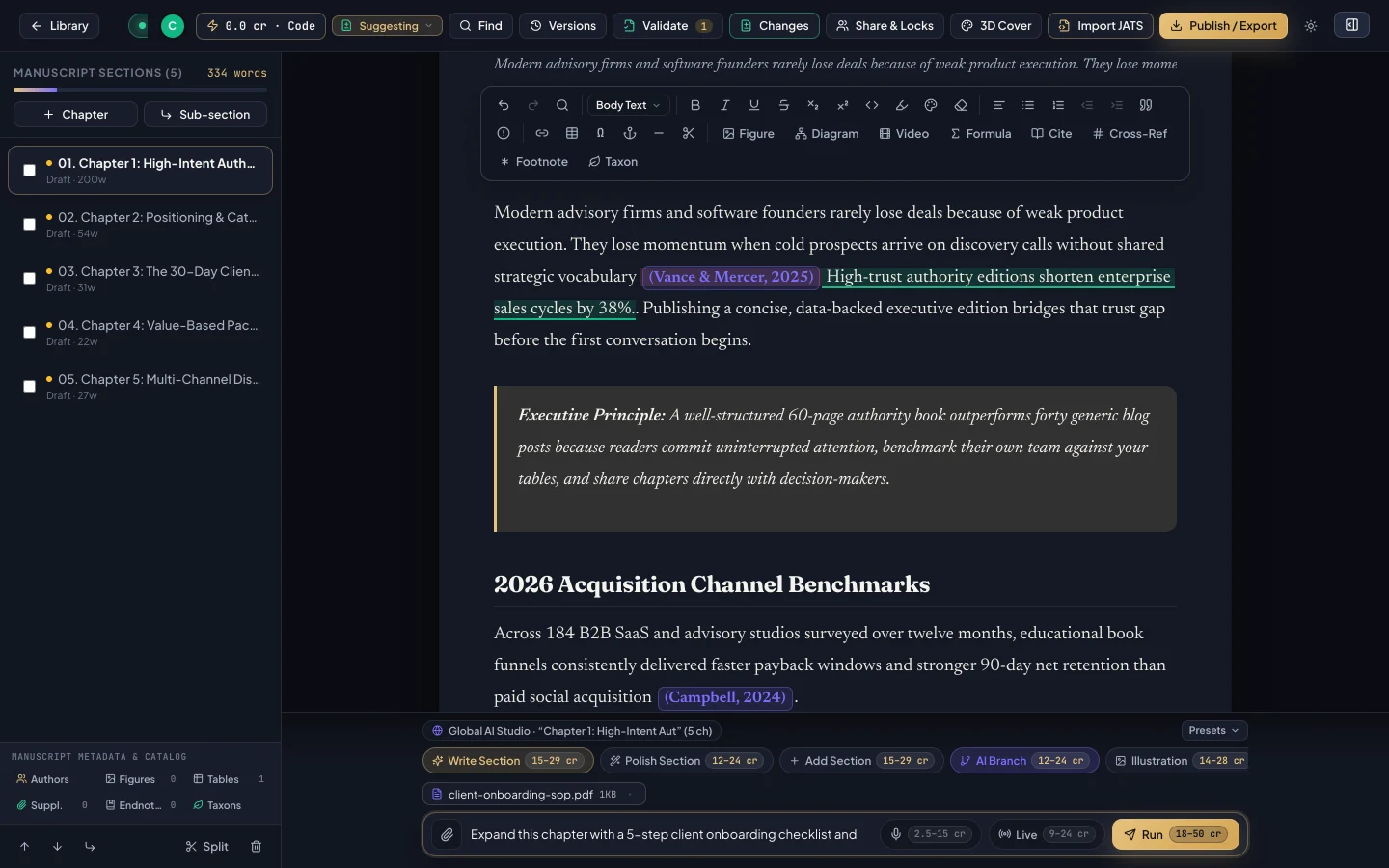
Use the persistent AI Co-Author bar or inline selection tools to attach reference PDFs, Word briefs, clinical or engineering notes, and images. You can type instructions or tap the microphone to dictate anecdotes aloud on desktop, tablet, or phone—while inspecting the upfront credit estimate displayed before every single AI action.
AI Co-Author Dock: speak in 59 languages, attach PDFs or Word docs, and verify upfront credit estimates before running.
2. Live Multi-Author Collaboration, Track Changes & Scholarly Rigor
Strong books are forged in editing. Invite co-authors, ghostwriters, developmental editors, or subject-matter reviewers by email and assign granular per-chapter editing permissions. Collaborators write simultaneously in real time, propose insertions and deletions with Track Changes, attach inline comments to highlighted text, run book-wide Find & Replace, and save milestone version history snapshots.
For nonfiction, technical, clinical, and academic titles, search verified papers by keyword or DOI directly inside your manuscript and generate automatic bibliographies in APA, MLA, Chicago, Harvard, IEEE, or Vancouver style—paired with numbered figures, comparison tables, mathematical equations, architecture flowcharts, callouts, and footnotes.
Before launch, switch from Obsidian Atelier dark mode into warm Paper reading mode to catch subtle pacing issues, and preview your 3D cover inside the dashboard. Then export every store-ready format in one click: Print-Ready PDF (6×9 trade paperback, 5.5×8.5, A5, or A4 with mirrored margins, running headers, table of contents, and bleed for Amazon KDP and IngramSpark), Reflowable EPUB 3.0, Microsoft Word (.docx), and Validated JATS XML—plus automatic 30-day cloud download links emailed to your team or buyers.
Starter Studio is $0 for collaborative writing, Track Changes, and citations (with bonus code support), while Creator ($14.99/mo, 600 credits), Author Pro ($24.99/mo, 1,500 credits), and Publisher Team ($44.99/mo, 3,500 credits) give you 2× better economics than $29–$99/mo alternatives and 100% royalty retention.
Interactive Action Checklist
0 / 5 completed
Frequently Asked Questions
Can I write manually and collaborate with an editor for free before adding AI credits?
Yes. Starter Studio ($0) includes live collaborative writing, Track Changes, inline comments, citations, figures, and bonus code support—upgrade to Creator ($14.99/mo, 600 credits) whenever you want full AI co-authoring and commercial exports.
Do exported EPUB 3.0 and Print PDF files work directly on Amazon KDP and Apple Books?
Yes. ArteBook Studio generates semantic Reflowable EPUB 3.0 files and fixed-trim Print PDFs (6×9, 5.5×8.5, A5, A4) with proper gutter margins, running headers, tables of contents, and bleed.
How does ArteBook Studio prevent fabricated citations in nonfiction and academic books?
Instead of guessing references from memory, ArteBook Studio lets you search real academic and industry papers by keyword or DOI and formats verified bibliographies across APA, MLA, Chicago, Harvard, IEEE, and Vancouver.