Adjust the inputs above to model scenarios before committing hours to manual formatting or guesswork. Whether you are planning a concise lead magnet, an interactive client workbook, an academic monograph, or a 6×9 Amazon KDP trade paperback, getting accurate numbers upfront ensures sizing paperback spines, 0.125-inch bleed wraps, and 3D cover mockups accurately before KDP or IngramSpark upload.
Once you have your target benchmarks, click "Open ArteBook Studio" to turn those exact specs into a live multi-chapter manuscript—complete with 59-language voice dictation, PDF and Word research uploads, and upfront AI credit estimates before every action.
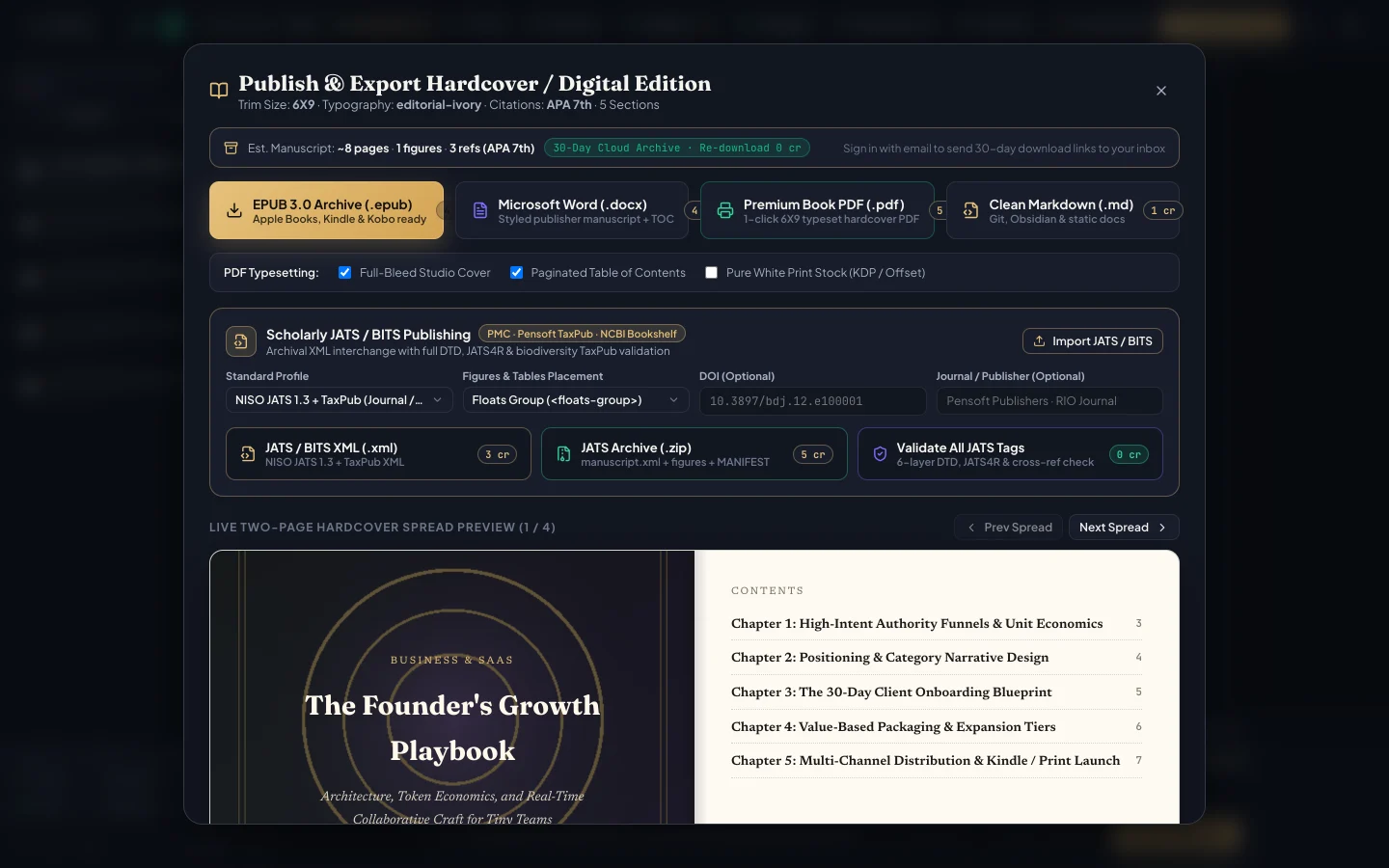
Store-Ready Exports: generate Print-Ready PDF (6×9, 5.5×8.5, A5, A4), EPUB 3.0, Word DOCX, and JATS XML in one click.
2. From Planning Math to Live Collaboration & 1-Click Exports
Inside ArteBook Studio, you never have to re-calculate margins, rebuild tables of contents by hand, or juggle disconnected chat windows. Invite co-authors, ghostwriters, and editors from your Author Dashboard with per-chapter editing permissions, review changes using Track Changes and inline comments, and search real academic or industry papers by keyword or DOI across APA, MLA, Chicago, Harvard, IEEE, and Vancouver styles.
Switch between dark Obsidian Atelier mode and warm Paper reading mode for final proofing, then export Print-Ready PDF (6×9, 5.5×8.5, A5, A4 with margins, running headers, TOC, and bleed), Reflowable EPUB 3.0, Microsoft Word (.docx), and Validated JATS XML—retaining 100% of your royalties ($0 Starter Studio; $14.99/mo Creator with 600 credits).
Every exported file comes with optional 30-day cloud download links emailed automatically to your co-authors, beta readers, corporate stakeholders, or direct buyers—giving solo creators and multi-author publishing teams an end-to-end production pipeline on desktop, tablet, and mobile phone.
Interactive Action Checklist
0 / 5 completed
Frequently Asked Questions
Is this publishing calculator completely free to use?
Yes. All 15 ArteBook Studio calculators run 100% free in your browser with instant updates and zero sign-up wall.
Can I apply these exact trim sizes, page counts, and citation styles inside ArteBook Studio?
Yes. ArteBook Studio includes built-in 6×9, 5.5×8.5, A5, and A4 Print PDF presets, Reflowable EPUB 3.0, editable Word DOCX, Validated JATS XML, and 6 DOI citation styles.
Do I retain 100% of my Amazon KDP, Apple Books, Etsy, and Gumroad royalties?
Yes. Every manuscript, cover, and exported publication you build in ArteBook Studio belongs 100% to you with full commercial publishing rights and zero royalty splits.