Playbook · Dev Editors
Explore →Inline Commenting for Dev Editors | ArteBook
How developmental editors resolve editorial feedback via inline comments in ArteBook Studio using Track Changes, voice dictation, and KDP exports.
Practical workflow playbook showing how developmental editors review and approve edits with Track Changes to achieve streamlined multi-round manuscript revisions in one shared source of truth.
| Workflow Stage | Traditional Dev Editors Bottleneck | ArteBook Studio Solution |
|---|---|---|
| 1. Capture & Research | Slow starts while guiding chapter restructuring, redlines, and inline margin feedback without emailed attachments | Speak in 59 languages or attach PDFs, Word docs, notes & images with upfront credit estimates. |
| 2. Structure & Assets | Disconnected chat snippets lacking visual proof | Persistent chapter blueprint + accept/reject redline insertions and deletions inside every chapter. |
| 3. Editorial Review | Emailed attachments and conflicting revisions | Live simultaneous co-authoring, Track Changes, inline comments & version snapshots. |
| 4. Store & Client Delivery | Manual margin fixes and broken EPUB conversions | One-click Print PDF (6×9, 5.5×8.5, A5, A4), EPUB 3.0, Word DOCX, JATS XML & 30-day links. |
| 5. Unit Economics | $29–$99/mo solo tools + separate layout apps | $0 Free Studio · $14.99/mo Creator (600 credits) + 100% royalties kept. |
For developmental editors, the biggest obstacle to publishing consistently is guiding chapter restructuring, redlines, and inline margin feedback without emailed attachments. Generic chatbots lose context after a few thousand words, cloud word processors break when exporting to Kindle or 6×9 paperback trim sizes, and post-writing formatters offer zero help during research, drafting, or developmental review.
ArteBook Studio eliminates every handoff gap by centering your workflow on accept/reject redline insertions and deletions inside every chapter. Whether you are working from a desktop monitor in Obsidian Atelier mode or reviewing chapters from your phone in warm Paper reading mode, every edit stays synchronized toward streamlined multi-round manuscript revisions in one shared source of truth.
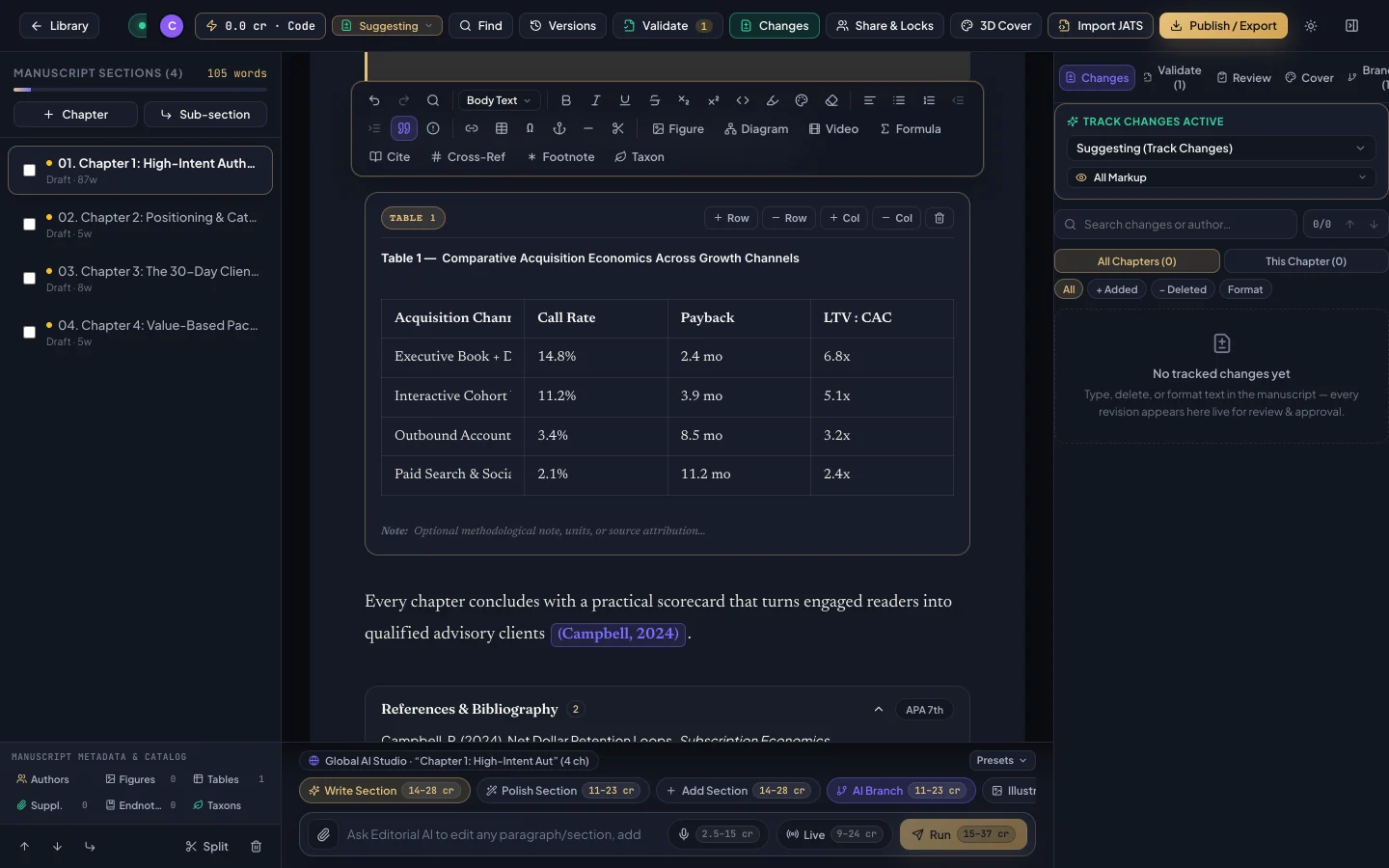
Begin from your Author Dashboard: launch a tailored multi-chapter blueprint, or import an existing Microsoft Word (.docx) or XML manuscript. Use the persistent AI Co-Author bar—or highlight any paragraph—to summarize attached PDFs, refine executive or narrative tone, translate across 59 languages, or dictate fresh insights into the microphone while checking the upfront credit estimate before clicking.
Next, invite co-authors, ghostwriters, editors, or subject-matter reviewers via email with per-chapter editing permissions. Collaborators work live in the manuscript using Track Changes (accept/reject edits), inline comments, book-wide Find & Replace, and version snapshots—while enriching chapters with verified DOI citations (APA, MLA, Chicago, Harvard, IEEE, Vancouver), numbered figures, tables, mathematical equations, flowcharts, callouts, and footnotes.
Once your manuscript passes quality review, generate every commercial and client deliverable in one click: Print-Ready PDF (6×9 trade paperback, 5.5×8.5, A5, or A4 with mirrored margins, running headers, table of contents, and bleed for Amazon KDP and IngramSpark), Reflowable EPUB 3.0 for Apple Books, Kindle, and Kobo, editable Word (.docx), and Validated JATS XML—complete with automatic 30-day cloud download links emailed to stakeholders.
Start writing and collaborating for $0 on Starter Studio (with bonus voucher code support), or scale production on Creator ($14.99/mo, 600 credits), Author Pro ($24.99/mo, 1,500 credits), or Publisher Team ($44.99/mo, 3,500 credits) while retaining 100% of every royalty and client fee.
Most developmental editors move from initial outline or imported Word/PDF notes to a structured, editor-ready manuscript within days by combining accept/reject redline insertions and deletions inside every chapter with 59-language voice dictation.
Yes. Assign per-chapter permissions from your Author Dashboard, enable Track Changes so every edit can be accepted or rejected cleanly, and save milestone version snapshots at any stage.
Starter Studio ($0) covers manual collaborative writing, Track Changes, and citations; Creator ($14.99/mo, 600 credits) fits solo creators; Author Pro ($24.99/mo, 1,500 credits) and Publisher Team ($44.99/mo, 3,500 credits) power high-volume catalogs and teams.
How developmental editors resolve editorial feedback via inline comments in ArteBook Studio using Track Changes, voice dictation, and KDP exports.
How developmental editors dictate structured chapters aloud in 59 languages in ArteBook Studio using Track Changes, voice dictation, and KDP exports.
How developmental editors convert existing PDFs and Word files into a cohesive book in ArteBook Studio using Track Changes, voice dictation, and KDP exports.
How developmental editors export clean Microsoft Word (.docx) manuscripts in ArteBook Studio using Track Changes, voice dictation, and KDP exports.
How developmental editors draft in dark mode and proofread in Paper mode in ArteBook Studio using Track Changes, voice dictation, and KDP exports.
How co-authoring duos & teams turn recorded transcripts into polished book chapters in ArteBook Studio using Track Changes, voice dictation, and KDP exports.
Package high-margin digital guides, niche workbooks, and bundles for Etsy, Gumroad, and Stan Store while keeping 100% of your publishing rights.
Calculate how many AI credits your book requires in ArteBook Studio ($14.99/mo, 600 credits) and compare total cost against $29–$99/mo tools.